
- How to Create a No Code AI Chat Bot and Publish It
- FAQs: The fastest way to create a no-code AI chatbot
Every website you visit now has a support bot on the bottom-right corner. Well, it is time for you to embed one in yours. With AI moving ahead fast, there are so many no-code AI chatbot builder tools available which can help you make your personalized chatbot within only a few minutes.
In this guide, we’ll explore the best no-code AI chatbot tools, show you how to design and build your chatbot step by step, and finally walk through publishing it on Tiiny Host.
How to Create a No Code AI Chat Bot and Publish It
Step 1: Choosing the Right No-Code AI Chatbot Tool
The first step is picking the platform where you’ll actually build your chatbot. Each tool has its strengths, so let’s break them down. Most of them have a free plan you can start with and upgrade to one of the pro plans if needed.
Wotnot.io
Wotnot offers a drag and drop interface where you can easily design the ai agents for conversations in form of flowcharts. It allows you to set rules and you can set responses for some commonly asked questions in your structure. Beyond that, you can also integrate GPT to handle unpredictable queries.
For training the bot, you can upload various kinds of documents, using which it can learn and answer automatically in case queries are not frequently asked.
For any SaaS companies, it would be a great tool to embed to answer FAQs and questions related to the company, making it a great way to automate customer support.
Typebot
Typebot is a great tool for anyone who wants to add aesthetic and attractive designs to their interactive bots. You can create conversational UIs with conditional logic, and you can set up responses that are beyond just text.
Typebot also allows you to integrate GPT or Claude, which can help you answer any questions that might not be very common.
You can easily embed a bot into a website, Notion pages or even WhatsApp. If you are a marketer or instructor with online courses, Typebot can easily integrate into your website and provide answers to your students in case of instructor unavailability. This way, you don’t have to keep a support team online, and you also keep the customers happy.
Tidio
Tidio is known for live chat, but now integrates AI automation. You can create chatbots that answer routine questions and seamlessly pass users to a human agent when needed. Tidio has a lot of prebuilt templates for small and large businesses so you might not even need to create things from scratch.
It is possible to integrate Tidio with Shopify, Wordpress or any other CRMs and make it easy to keep training the bot while also reducing human intervention.
HubSpot Chatbot Builder
If you are a business already using HubSpot, they have also introduced their chatbot builder. Your CRM just got better and easier with their Builder. If you’re looking for a free chatbot builder, HubSpot is a good starting point. It is user friendly and can speed up your lead generation process.
While it is not as integration-heavy as Wotnot and Chatling, it is very helpful when integrated with CRM workflows. It can help you automate capturing leads for your business and also features basic AI integration for any data-driven answers that may not be pre-written.
ChatGPT
ChatGPT itself isn’t a no-code builder, but it can power chatbots inside no-code tools. Many platforms allow you to connect your OpenAI API key and utilise GPT-3.5 or GPT-4 to generate responses. Additionally, if you are somewhat familiar with coding, you can utilise it to create a chatbot’s frontend and backend using the ChatGPT interface itself. However, you may need to make an API and then embed it yourself.
Claude
Claude by Anthropic offers “Artifacts,” which let you build small interactive AI apps inside the Claude interface. You can design prompts, chat flows, or even lightweight apps, then share them. This can help you make in-Claude chatbots but can also help you write logic. You can then export the file and use them in your website.
Replit
If you are writing a chatbot from scratch, you might want to consider using Replit. It is a cloud IDE where you can code on your own or use the Replit AI to prompt the type of chatbot you would want to export. It is also easy to handle tweaks because your IDE is cloud based. You can host it on Replit itself and then integrate in on your website in frontend side using custom self made APIs.
Step 2: Designing Your Chatbot
Once you are done choosing your tool. It is time to start designing your chatbot. A few things to keep and note before you start building your chatbot is.
- Purpose: Know what you need the chatbot for. Is it a customer support bot on your ecommerce website, FAQ bot or sales bot? Figuring out the purpose will help you make it better in further steps.
- Persona: Once the purpose is settled, you move to what kind of voice and persona you want the chatbot to have. If you have an ecommerce site, you might consider a neutral consumer friendly tone, if it is a business you can consider professional tone or if it is a personal blog, you can choose the type of persona it would have.
- Flows: Make sure what and which type of question and answers should your AI have. Feed the pre-set questions and also set when should it fall back to any AI integrated for the answers.
- Data: Prepare all the data you would need to train the chatbot. It can be simple information like the name, history and vision of your company along with information that end user might search for. For example, for a course published, the students might ask questions related to assignments, you can add answer to assignments and also hints which can help them solve it better.
- Channels: Decide the channels on which your bot will go live like website, WhatsApp, landing page, or app embed. Keep in mind that text-based support is just one piece of customer communication. Many appointment-led businesses also need to handle inbound calls and voice interactions. Something chatbots can’t do. If your customers prefer calling, or you need voice-based booking and rescheduling, check out this guide on the best AI receptionist software to find a solution that handles calls, books appointments, and processes changes without staff intervention.
Step 3: Building Your Chatbot
Each tool will differ slightly, but the process generally looks like this:
- Drag and drop blocks to create flows or if you are using tools like Claude, ChatGPT or Replit, you will have to type in the prompts.
- Add an AI response block (powered by GPT or Claude).
- Upload files or URLs for training the bot about your company
- Test in preview mode.
- Export or copy the embed script or public link.
If using ChatGPT or Claude directly, you’ll design prompts, then wrap them in a frontend (via HTML or Replit).
Step 4: Preparing a Frontend Wrapper
Most no-code tools give you an embed script like:
<script src="https://tool.com/embed.js" data-bot="your-id"></script>You’ll need to place this inside a index.html page. For example:
<html>

  <head><title>Chatbot Example</title></head>

  <body>

    <h1>Welcome to My Chatbot</h1>

    <div id="chatbot"></div>

    <script src="https://tool.com/embed.js" data-bot="12345"></script>

  </body>

</html>
Step 5: Publishing via Tiiny Host
Once your bot is ready, you can publish it as it is or embed it in your website and host your website on Tiiny Host.
- Zip your website files or just the chatbot file to host the chatbot alone
- Go to Tiiny Host
- Upload your zip file
- Give a ‘link-name’ to get customized subdomain or connect your own domain
- Click publish
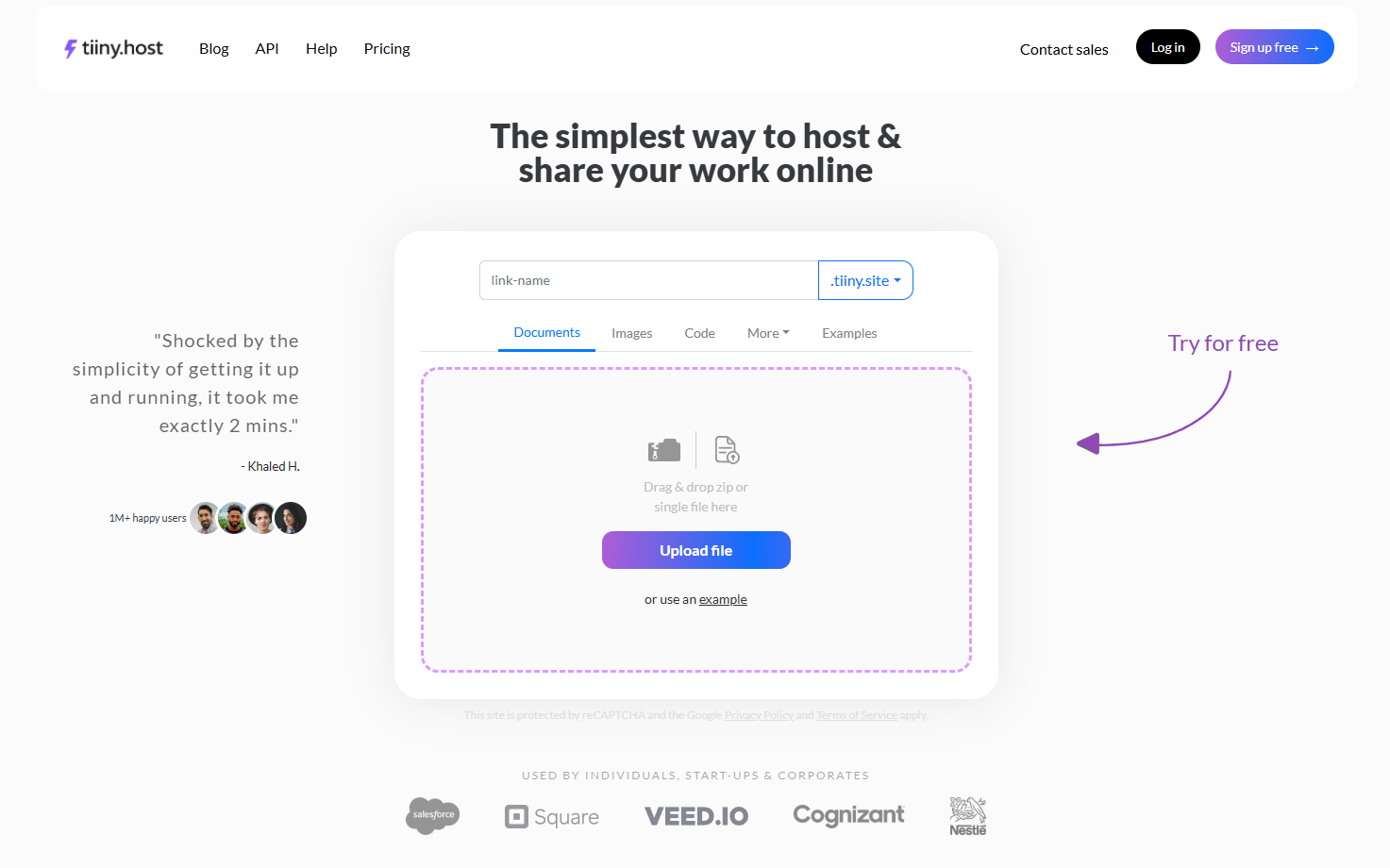
This will instantly give you a link (like https://mychatbot.tiiny.site) you can share. Tiiny Host also allows you to track visitors and clicks on your website through the inbuilt analytics so you don’t have to worry about connecting other apps.
Step 6: Testing and Improving
Open your published chatbot and try real conversations. Check analytics to see how many people are engaging. Refine your flows, prompts, or training data. Update the file on frontend and keep improving.
FAQs: The fastest way to create a no-code AI chatbot
Can I integrate my chatbot into WhatsApp or Messenger?
Yes. Tools like Chatling and Wotnot support WhatsApp integrations. For Messenger or Telegram, you may need an extra middleware tool (like ManyChat).
Can I use Tiiny Host for private bots?
Yes, Tiiny Host supports password-protected pages. Perfect if you want to share your bot with a closed group.
Is Tiiny Host enough for high-traffic bots?
For static frontends, yes. If your chatbot has high API usage, ensure the underlying tool (e.g., Wotnot, Chatling, or your own API) can scale accordingly.
Can the built AI agents answer questions from customers?
When you create your own chatbot, you get best performance by giving enough knowledge base to train the ai agent. Once that is done, the AI chatbot needs fine-tuning according to the features you need for your customers. As soon as you are done with training it on customer data and fine-tuning, you can connect it to your website, and the chatbot will answer questions easily.